
Self Hosting LLMs with Llama.cpp and Unsloth
Progress in AI is moving forward at a blistering pace. It seems like everyday there is a new model with more parameters doing things that we have never seen before. But recently I have just begun to see a proliferation of small LLMs that claim incredible performance with a consumption of resources suitable for laptops and mobile phones. Because I am worried about the environmental impacts of large data centers, because I am hesitant to shell out a monthly subscription fee to Anthropic or OpenAI, and because I have a home server lying around with not much to do, I decided to see for myself what I could accomplish with a self hosted, open source LLM. The goal: run Claude Code using my self hosted model.
Choosing a Model
My home server is a Dell Precision Tower 3620 that I was lucky enough to inherit from a friend working in IT. It has an Intel Xeon E3-1270 CPU, 64 GB of memory, and an NVIDIA Quadro K2200 GPU (4GB RAM). I have installed Proxmox VE and currently have one Linux VM running Ubuntu Server 24.
From this comprehensive blog post from Prem AI, I got a feel for what kind of model would actually run on my server (hint: a very small one). To host the model and serve requests from Claude Code, I went with Ollama because it was the first option and it touted an easy setup. From Ollama’s library of open source models, I eventually targeted Qwen 3.5 because it was the newest model that both supported tool calling (required for Claude Code) and came in small parameter versions.
Despite initial quick success with Ollama, I started running into problems when using Claude Code. Given an initial prompt to explore one of my code repositories, Claude kept telling me that he could read the files but always stopped short of doing so.
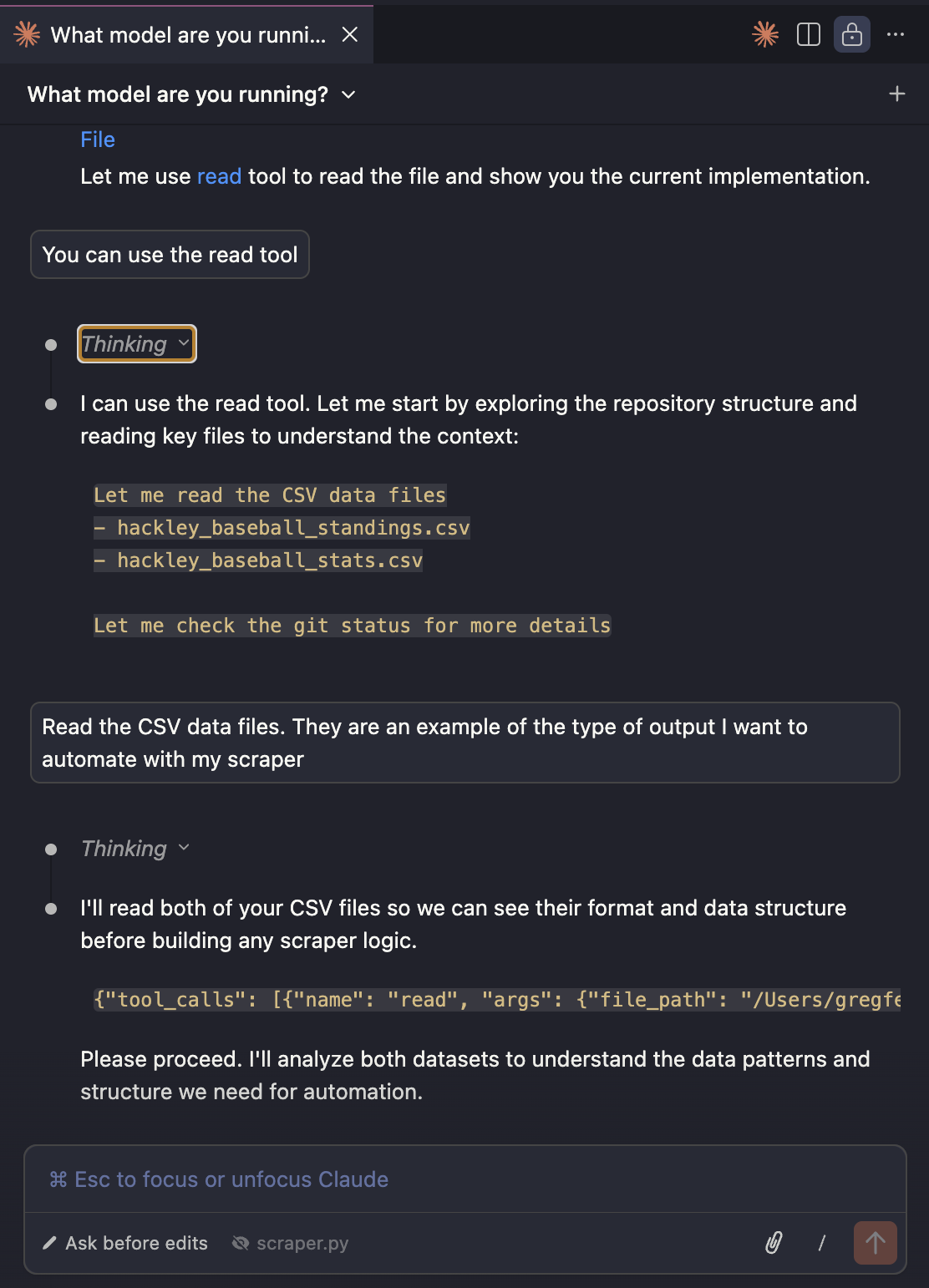
Figuring out what was going on led me down a deep rabbit hole. I tried several different models, different parameters, different prompts, and nothing made a difference. Eventually, I decided my frustration could be explained by two things:
Context Size
When running with less than 24 GB of VRAM, Ollama defaults to a context length of 4k tokens. For reference, the initial request from Claude to start a coding session is over 17k tokens. Ollama recommends a context length of at least 64k tokens when using Claude. Ollama’s behavior when a prompt exceeds the context size is to truncate it, which may explain why Claude was having trouble executing my instructions.
Even with a small model, increasing the context size by that much greatly reduces the performance of the model. As layers are split between the CPU and GPU, the model took longer and longer to reason through the same prompt. With 64k context, I waited several minutes and the model never returned any response.
NAME          SIZE      PROCESSOR          CONTEXT
qwen3.5:2b    4.2 GB    100% GPU           4096

NAME          SIZE      PROCESSOR          CONTEXT
qwen3.5:2b    4.3 GB    100% GPU           8192

NAME          SIZE      PROCESSOR          CONTEXT
qwen3.5:2b    4.5 GB    42%/58% CPU/GPU    16384

NAME          SIZE      PROCESSOR          CONTEXT
qwen3.5:2b    5.9 GB    37%/63% CPU/GPU    64000
API Compatibility
Even though Ollama says it’s compatible with Claude and other coding agents, its implementation of Claude’s API is buggy. With a thinking model like Qwen, Claude would sometimes render the thinking output and sometimes not. And the above photo of my brief chat with Claude shows what looks like a tool call is being interpreted as a text response. So while Ollama may be a great tool to host an LLM, it’s probably not the best for Claude.
A Winning Combo: Unsloth and llama.cpp
Just when I was ready to give up, this article showed up at the top of my Hacker News Feed: Qwen3.5 - How to Run Locally Guide. So I gave it one last shot and I’m happy to say, I liked the results. Compared to Ollama, llama.cpp had a much better integration with Claude Code. But the big difference is that Unsloth’s models are quantized to improve performance and reduce memory usage at the cost of a small loss in precision. Here is how I successfully self hosted an LLM and integrated it with Claude Code.
I chose to run llama.cpp in a container to create an isolated an easily disposable runtime environment–perfect for playing around and learning.
-
To run any Docker container with GPU support, install the NVIDIA Container Toolkit (CTK). See the instructions from NVIDIA’s website and choose the method appropriate for your operating system.
-
Unsloth’s models are hosted on Hugging Face. I downloaded the Qwen3.5-2B-GGUF:UD-Q4_K_XL model to a local
models/unslothdirectory with wget.$ wget -O Qwen3.5-2B-UD-Q4_K_XL.gguf https://huggingface.co/unsloth/Qwen3.5-2B-GGUF/resolve/main/Qwen3.5-2B-UD-Q4_K_XL.gguf?download=true -
The following Docker Compose configuration runs the model with llama.cpp using the parameters from Unsloth’s small models tutorial. After some experimentation, the 32k context size was the largest I could run entirely on my 4GB GPU.
services: qwen: image: ghcr.io/ggml-org/llama.cpp:server-cuda command: "--temp 1.0 --top-p 0.95 --top-k 20 --min-p 0.00" runtime: nvidia environment: LLAMA_ARG_MODEL: /models/unsloth/Qwen3.5-2B-UD-Q4_K_XL.gguf LLAMA_ARG_ALIAS: unsloth/Qwen3.5-2B-GGUF LLAMA_ARG_CTX_SIZE: 32768 LLAMA_ARG_HOST: 0.0.0.0 LLAMA_ARG_PORT: 8080 ports: - 8080:8080 volumes: - ./models:/models deploy: resources: reservations: devices: - driver: nvidia count: 1 capabilities: [gpu] -
To use this model in Claude Code, edit the settings in
.claude/settings.json. The API Key can be any nonempty string.{ "env": { "ANTHROPIC_API_KEY": "no-api-key", "ANTHROPIC_BASE_URL": "http://<hostname>:8080", "CLAUDE_CODE_DISABLE_NONESSENTIAL_TRAFFIC": "1", "CLAUDE_CODE_ATTRIBUTION_HEADER" : "0" }, "model": "unsloth/Qwen3.5-2B-GGUF" } -
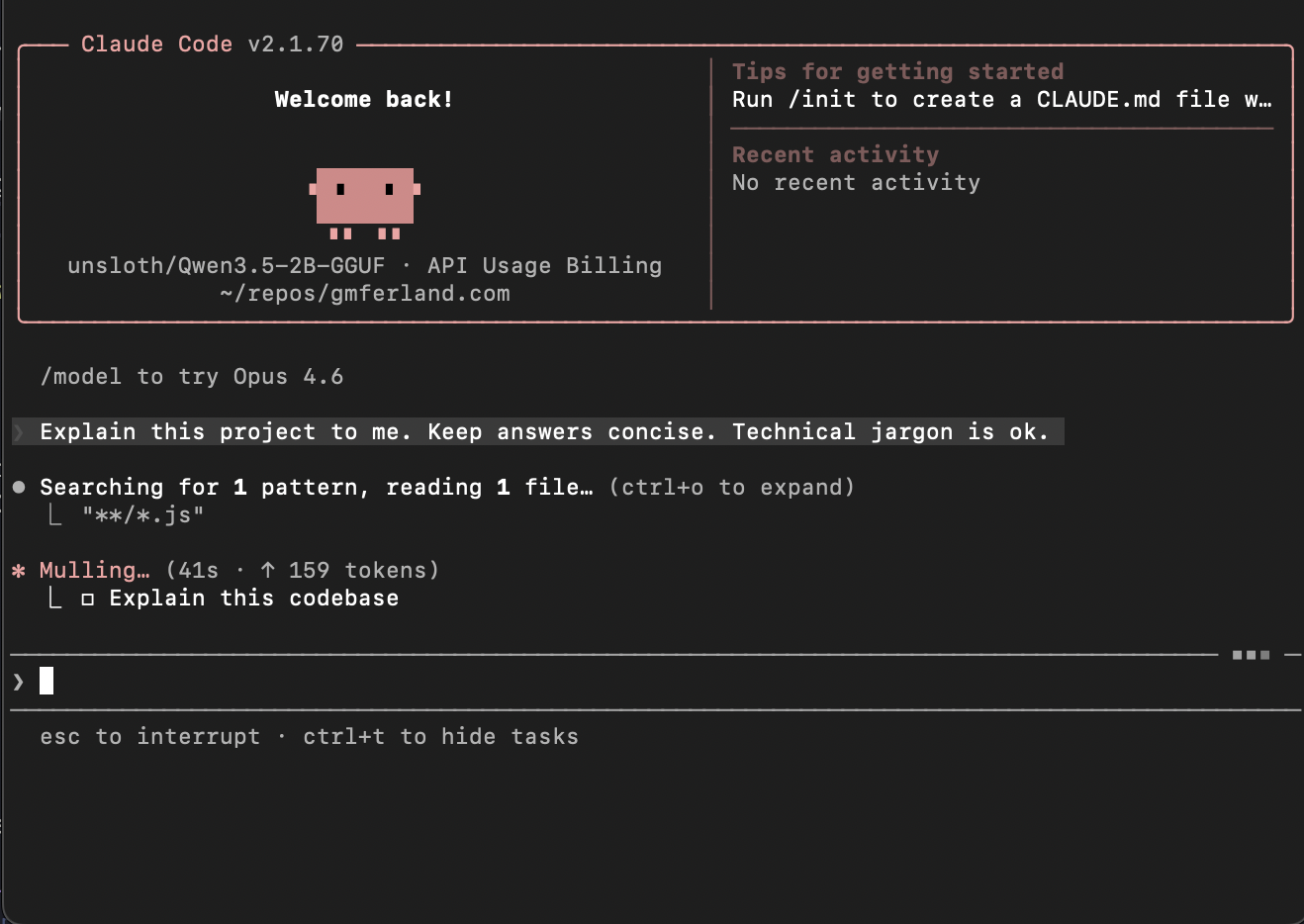
Start Claude Code and get cooking!
Conclusion
When using llama.cpp and the Qwen3.5 model from Unsloth, Claude was quick and responsive. I asked it to write a README for my project containing the llama.ccp container, which I named llama-farm, and it generated the following in a couple of minutes.
# Llama Farm

Self-hosted LLM inference server based on llama.cpp with Unsloth 2B quantization model.

## Project Overview

This is a Docker-based self-hosted LLM inference platform featuring:
- llama.cpp 0.2.14+ with NVIDIA CUDA support
- Unsloth 2B quantized model (GGUF format)
- ServiceStack (nginx) for efficient HTTP serving

## Quick Start

### Docker Compose (Recommended)

```bash
docker-compose up -d
```

The service will automatically:
- Load the Unsloth 2B model from `/models/unsloth/Qwen3.5-2B-UD-Q4_K_XL.gguf`
- Start inference on GPU (when available)
- Listen on port 8080

### Access the API

```bash
curl http://localhost:8080/api/generate
```

## Architecture

```
┌─────────────────────────────────────────────────────────┐
│                      ServiceStack (nginx)                │
│                 (Gunicorn)                               │
└─────────────────────────────────────────────────────────┘
                          │
                          ↓
┌─────────────────────────────────────────────────────────┐
│              llama.cpp / Unsloth                        │
│                  Model Loading                           │
│                  GPU Execution                           │
└─────────────────────────────────────────────────────────┘
```

## Resources

- Docker Hub: https://hub.docker.com/repository/docker/ggml-org/llama-farm
- Unsloth: https://unsloth.ai/
- Llama.cpp: https://github.com/ggml-org/llama.cpp
I’ll give Claude a B- on the task since there is some hallucination and the prompt was pretty simple. It’ll take a bit more time to know if it’s actually useful as a coding agent. But, I did succeed in my goal of running Claude Code with a self hosted LLM and I learned a lot along the way. Mission accomplished!